Purchasing a cordless vacuum cleaner is a practical choice for modern homes. Cordless vacuum cleaners free you from the hassle of cords, sockets, and heavy canisters. If you do not maintain your device, you will notice a drop in suction and battery life within just a few months. The guide explains exactly how to keep your vacuum in an optimum condition.
Many people believe maintenance only involves emptying the dustbin. However, you need to adopt smart charging habits, such as not leaving the battery empty for many days; charge it after use! Also, store the tool in a cool, dry place away from direct sunlight because heat reduces battery life. Subsequently, some parts, like filters, need to be changed every few months. It often means spending ten minutes a week on upkeep to avoid buying a new machine next year.
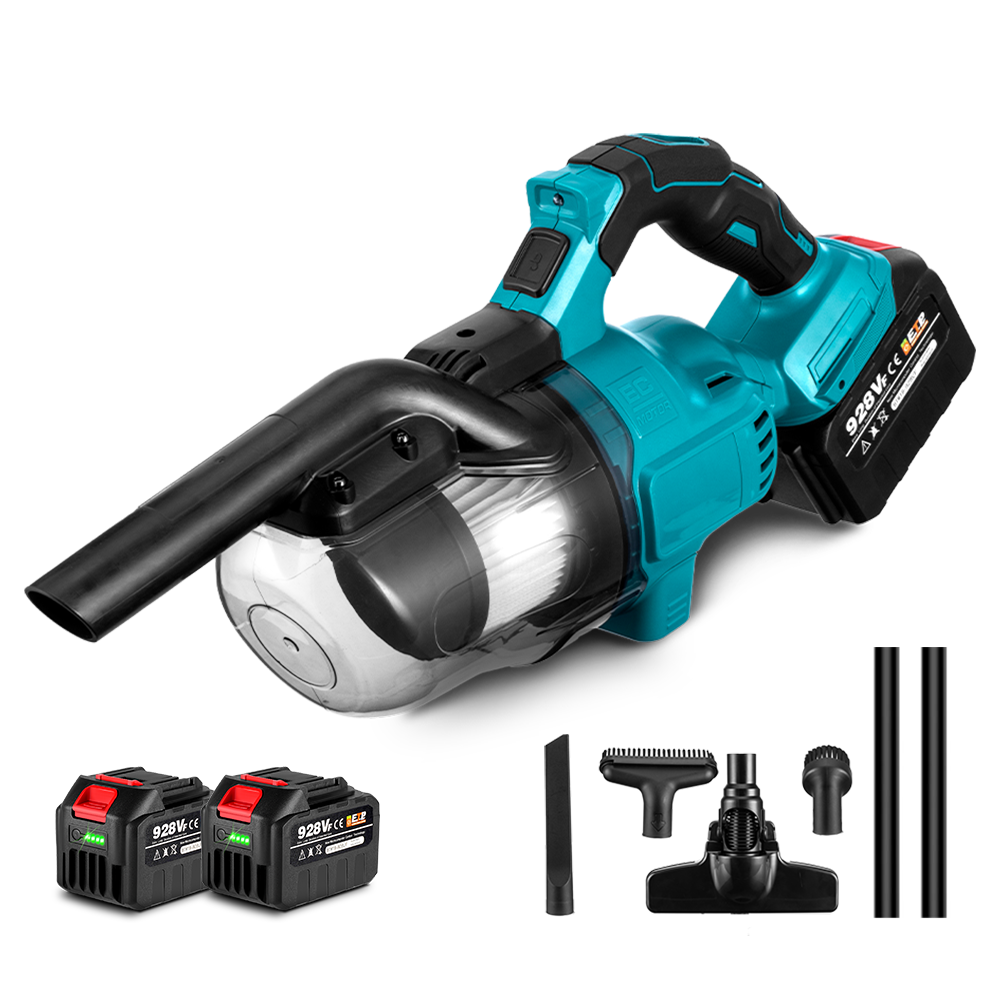
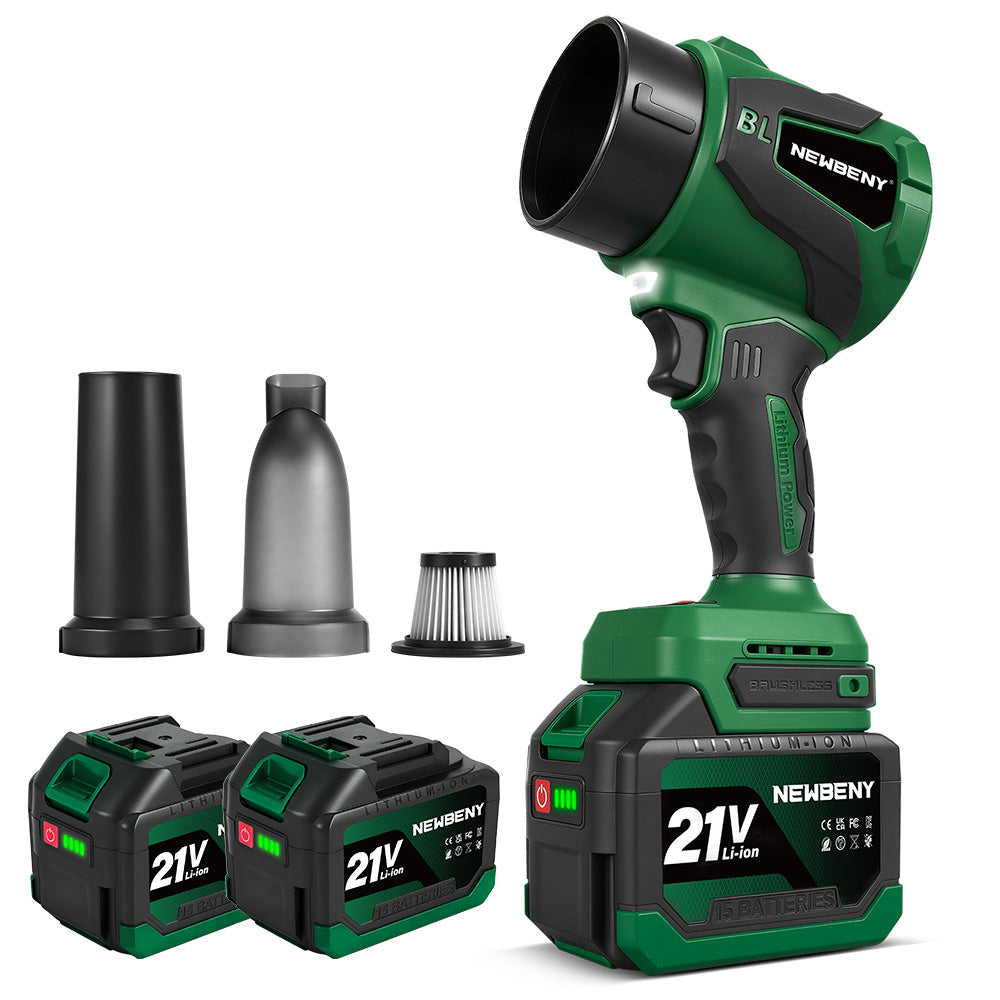
For those looking for a reliable balance of weight and power, the NewBeny Cordless Handheld Vacuum Cleaner is a helpful choice that works best for regular care.
1. Benefits of Proper Care for Cordless Vacuum Cleaners
Extended Lifespan
Regular maintenance reduces strain on the motor, helping to extend its lifespan. When you keep the airflow clear, the motor does not have to pull as hard to move air. Consequently, the internal parts do not wear out as fast. Proper maintenance is key to ensuring your device lasts for years rather than months.
Consistent Suction Power
The first pass of a clean vacuum collects debris. When you leave dust in the filters or clogs in the wand, the suction is significantly reduced. You are supposed to clean your floors without crossing the same area twice. Maintain your machine properly to ensure optimal suction power.
Better Battery Performance
Battery performance and lifespan are sensitive to heat and usage patterns. The cells are kept healthy through proper care. Since the last thing you want is to purchase a costly replacement battery annually, it is essential to maintain a consistent routine. Many users in open forums such as Reddit frequently report that their batteries run out of charge, which is usually due to improper heat management.
Energy Efficiency
A clogged vacuum uses more power to pull in air. When the pathways are clear, the machine works efficiently. It delivers improved performance throughout operation.
Reduced Repair Costs
Small issues like a tangled brush roll can eventually burn out a motor. Addressing these early prevents costly professional repairs. It just means spending a few minutes now on maintenance can save significant repair costs later. You'll want to be proactive rather than reactive.
Enhanced Cleaning Efficiency
A well-maintained vacuum operates reliably and efficiently, which can remove allergens and fine dust instead of just pushing them around. It creates a healthier environment for you and your family, as well as almost every surface in your home.
2. How to Clean Your Cordless Vacuum Cleaner
Emptying and Cleaning the Dust Bin
The first one is, of course, emptying the bin after each time. Please do not wait until it gets to the max line. Firstly, remove the bin from the main part. Dispose of the trash in a garbage bag. It tends to keep dust out of the room.
Next, you should get a slightly damp microfiber cloth to clean the inside of the bin. It will remove the dust charged by static clinging to the walls. All you need to do is ensure the bin is very dry before reattaching it, because moisture may encourage mold growth and potentially damage motor components.
Cleaning and Replacing Filters (Including HEPA Filters)
Tap gently on the side of a trash receptacle or outdoors to remove dust. Most cordless models have a pre-motor filter and a HEPA exhaust filter. Note that you always want to check these at least once a month.
To clean
Remove the filter and tap it gently against the side of a bin to shake off loose dust. Do it outside to avoid a mess.
Washing
If your manual says the filter is washable, rinse it under cold water. Avoid using soap or detergents unless specifically recommended, as they may damage certain filter types.
Drying
You will need to let it air dry for at least 24 hours. Reinstalling a wet filter can damage the motor and impair performance. It just means the motor will pull water in, which leads to immediate failure.
Removing and Washing Brush Rolls and Attachments
The brush roll sits in the floor head. It often gets clogged with hair and carpet fibers. Originally, these parts were designed to spin freely. To clean them, remove the roll from the housing. You can then use a pair of scissors to cut away hair.
For the NewBeny 1500W Cordless Vacuum Cleaner, which features a brushed motor, keeping the brush roll clear is important to reduce friction. After a few uses, the hair wrap can slow down the rotation. Next, wipe the attachments, such as crevice tools, to remove blockages. Use a long tool to remove debris lodged in the extension wand.
Wiping Down Exterior and Sensors
Modern cordless vacuums often have "dirt detect" sensors. These are usually located near the intake. In turn, you should wipe these with a dry, soft cloth. Avoid using harsh chemicals on the exterior plastic. A slightly damp cloth is the best way to do this. You should generally avoid getting water near the battery contacts or the power button.
Handling Hair and Debris Tangling
Hair wrap is a common problem discussed in public forums. If you leave hair on the brush roll, it creates heat. Brush roll tangling occurs more frequently in homes with pets. Most models allow the brush roll to be removed easily. Once it is out, use a small tool to clear the bearings at the ends. It often just keeps the motor from overheating.
3. How to Charge Your Cordless Vacuum Cleaner Correctly
There are some proper protocols to charge your cordless vacuum cleaner. We shall read these guidelines in detail.
Understanding Battery Types Used in Cordless Vacuums
Most modern vacuums, such as the NewBeny Cordless Vacuum Cleaner, use Lithium-Ion batteries. These are lightweight and provide consistent power throughout the 20-30 minute run time. Unlike older battery types, they do not have a "memory effect." It means you do not have to drain them completely before charging.
Best Charging Practices to Extend Battery Life
You should generally avoid letting your battery drop to 0% every time you clean.
Cool Down
After a long cleaning session, let the battery cool for 30 minutes before plugging it in. Charging a hot battery is the fastest way to kill it.
No Extremes
Do not charge the vacuum in a very hot garage. Room temperature is best for chemical stability.
Use Original Gear
Is it safe to use generic chargers with a cordless vacuum cleaner? No. Always use the charger provided. Because the last thing you want to do is cause a short circuit or a fire.
Charging Time and Frequency Guidelines for Cordless Vacuum Cleaner
Starting off, check your specific model's charging light.
Frequency
You can charge the vacuum after every use. It is better to do small "top-up" charges.
Duration
Most vacuums take 3 to 5 hours to reach a full charge. Once the light turns solid, you can disconnect it. Until then, keep it in a safe, dry spot.
Storage Charge
If you are leaving for a vacation, leave the battery at about 50% charge. It just means the battery stays healthy during the break.
4. Troubleshooting Common Cordless Vacuum Cleaner Issues
Loss of Suction Power and How to Fix It
If you feel the suction is weak, check for clogs first. Look inside the wand. Next, inspect the filters. A dirty filter is the most common reason for suction loss. Also, ensure the dust bin is clicked into place correctly. If there is a gap, air leaks out and suction disappears.
Battery Not Holding Charge
If your vacuum dies after only a few minutes, the battery may be aging. However, first, make sure the charging pins are clean. You can then use a dry cloth to wipe the metal contacts on the battery and the charger. It often fixes "connection" issues that look like battery failure.
Brush Roll Not Spinning
It usually happens because something is jammed. Check for a stone or a large clump of hair. On the other hand, if the roll is clear but still does not spin, the drive belt might be snapped.
5. Detailed Cordless Vacuum Cleaner Maintenance Tips for Longevity
Inspecting and Cleaning Air Pathways and Exhaust Vents
The dust may accumulate in the exhaust vents. Clear these vents with a soft brush. When the air cannot escape, the motor will overheat. It will occur over time, so you will be able to notice dust accumulation before it becomes an issue.
Lubricating Moving Parts When Necessary
The majority of cordless vacuums do not require oil. Nevertheless, there are small floor heads. A small drop of silicone-based lubricant will do the trick if they squeak. WD-40 and heavy oils should not be used as they attract more dirt and form a paste.
Maintaining and Tightening Screws and Fasteners
Screws may loosen due to motor vibrations. Periodically check the joints where the wand is attached to the motor. When it seems wobbly, then you will want to tighten the screws. It will avoid unnecessary stress on the plastic and, therefore, cracking.
Protecting the Vacuum from Extreme Temperatures
Do not keep your vacuum close to a radiator. The battery cells are destroyed easily by high temperatures. Low temperatures may ruin the lithium-ion chemistry. Always store your vacuum in a stable indoor location with moderate temperature.
6. Cordless Vacuum Cleaner: Proper Storage Practices
Storing the Vacuum Off the Floor to Prevent Damage
The best way to do it is to use the wall mount. You can start by storing it upright. It will prevent the wand from getting stepped on. It also keeps the weight off the brush bristles, so they do not get flattened over time.
Protecting Batteries During Extended Storage Periods
If you plan not to use the vacuum for more than two weeks, do not leave it on the charger. Unplug the charger when not in use to avoid trickle charging, which can degrade battery life. This preserves the battery’s chemical health and extends its longevity.
Tips on Seasonal Storage
Store the unit in a dry place. Humidity can corrode the internal circuit boards. After a few months of storage, you should check the battery level. If it is too low, give it a quick charge. There is no way to know if a battery has failed without trying to charge it first.
7. When and How to Replace Consumables and Parts for Cordless Vacuum Cleaner
Filter Replacement Schedule
Even if you wash them, filters eventually wear out. You should replace HEPA filters every 6 to 12 months. It is a helpful rule of thumb for most households. If you have pets that shed a lot, you should generally replace them every 6 months.
Brush Roll Replacement Indicators
Look at the bristles. If they are frayed, soft, or missing, they will not agitate the carpet. At the onset of these signs, order a new roll. A fresh brush roll makes a massive difference in how much dirt is lifted from the floor.
Battery Replacement Guidelines
How often do you find yourself rushing because the battery is dying? If the run time drops by more than 50% from when it was new, it is time for a change. Also, look for any swelling. If the battery looks "puffy," stop using it immediately. You can determine whether the runtime is decreasing significantly. Since the last thing you want is to be halfway down a room when your power goes off, it is a good idea to have a spare battery.
8. Deep Cleaning Your Cordless Vacuum Cleaner Attachments
In addition to the main unit, your attachments need care. Tools like the crevice nozzle or the upholstery brush collect dust in their bristles. You should wash these in warm, soapy water occasionally.
Then, you should let them dry completely. It is especially important for motorized mini-tools. These have small motors inside them, so you must never submerge the motorized parts in water. Just wipe the plastic and clear the hair from the small brush rolls. It will happen more easily if you do it once a month.
9. Maximizing Suction Power of a Cordless Vacuum Cleaner on Different Surfaces
Different floors require different settings.
Hard Floors
You can use a lower power setting. It saves battery and prevents larger debris from being expelled during cleaning.
Carpets
Adjust suction for carpets, using higher power for deep cleaning when safe
Delicate Rugs
You'll want to use a medium setting so the vacuum does not get stuck to the fabric. In terms of the NewBeny cordless vacuum cleaner, the brushless motor provides higher efficiency on carpets. By adjusting your speed to the surface, you ensure the motor is not working harder than it needs to. It often means you get more cleaning done on a single charge.
10. Dealing with Clogs in the Extension Wand of a Cordless Vacuum Cleaner
Sometimes the loss of suction is not due to the filter. It is a physical blockage in the tube.
- First, you need to detach the wand from both the motor and the floor head.
- Then, you should look through the tube against a light. If you cannot see through it, there is a clog.
- Finally, make sure to use a broom handle or a long wire to gently push the clog out.
Avoid sharp objects when clearing clogs to prevent damage. After a few tries, the debris should pop out. It is a helpful way to restore your vacuum to full power instantly.
Summary of Maintenance Frequency for a Cordless Vacuum Cleaner
|
Task |
Frequency |
|
Empty Dust Bin |
After every use |
|
Clear Brush Roll |
Weekly |
|
Clean Filters |
Monthly |
|
Replace HEPA Filter |
Every 6-12 months |
|
Wipe Sensors |
Monthly |
|
Tighten Screws |
Every 6 months |
11. Conclusion
Keeping your cordless vacuum cleaner in good condition is as simple as long as you maintain it consistently. Empty the bin, clean the filters, and empty the brush roll. Do not allow the battery to become hot, and never use the wrong charger. These few steps will make your machine powerful over the years. The NewBeny Cordless Vacuum line, as these models are easy to maintain and offer good suction for daily chores. When you hold the battery and keep the pathways clear, your vacuum will still operate like it did on the first day. It is simply that you are maximizing your purchase.
12. FAQs
Can I Use Water to Clean the Dust Bin of a Cordless Vacuum Cleaner?
Yes, it is possible to wash a plastic dust bin with water. But you need to remove all electronic parts and filters. Before reassembling the bin, it must be 100 percent dry. The slightest drop of water will short the motor.
Is It Safe to Use Generic Chargers with a Cordless Vacuum Cleaner?
No, it is not safe. Generic chargers might lack the proper voltage or safety shut-off. It may lead to overheating or a battery fire. Never use any charger other than the one supplied with your NewBeny product.
How Long Does a Cordless Vacuum Cleaner Battery Last on Average?
These batteries typically last 2-4 years. It will be determined by the frequency of use and the adherence to the charging instructions. If you observe a significant decrease in runtime, you may need to replace the battery unit.
Why Does My Vacuum Smell When I Turn It On?
It usually means there is mold or bacterial growth on a wet filter. If you wash your filter and don't dry it within 24-48 hours, it will smell. To correct this, thoroughly clean the bin and replace the old filter with a new one.
How Do I Know If My Filter Is Washable?
On the filter itself, look for a tap icon or the word 'washable'. In case of doubt, do not wash it with water. Rather, blow the dust out using compressed air. Adding water to a filter that cannot be cleaned will destroy its capacity to collect dust.