1. Can You Adjust Torque on a Cordless Impact Wrench?
Yes. You can adjust the twisting force on a cordless impact wrench. However, it’s important to note that these tools adjust general power output levels rather than providing precise torque measurements. When you press a button or move a dial on the tool base, you restrict the motor speed and control how hard the internal hammer strikes the anvil. Therefore, you are controlling raw kinetic energy rather than dialing in an exact foot-pound measurement.
2. Do Cordless Impact Wrenches Have Torque Settings?
People frequently ask whether impact wrenches have torque settings when transitioning from hand tools. Battery-powered impact wrenches come with power profiles rather than true torque measurements. This understanding will save threads, protect expensive hardware, and keep your projects moving smoothly.
The Difference Between Torque Settings and Power Settings on a Cordless Impact Wrench
A manual click-style wrench measures exact physical resistance. When the bolt reaches a specific tightness, the internal spring mechanism clicks to signal that you should stop turning. Conversely, a battery tool uses a spinning electric motor and a spring-loaded hammer mechanism. Many battery-powered impact wrenches feature buttons on the base of the handle that allow users to change the Revolutions Per Minute (RPM) and Impacts Per Minute (IPM).
Lowering the power setting typically reduces the maximum speed at which the motor can spin.
A slower motor means the internal hammer builds up less kinetic energy before it strikes the metal anvil. Less kinetic energy results in less twisting force applied to the bolt head. You are fundamentally changing the violence of the strikes, which indirectly changes the final tightness. During my time testing tools in the shop, I have seen many new technicians strip threads because they expected the tool to stop at a specific foot-pound rating. The tool does not know when a bolt is perfectly tight. It only monitors how much electrical current the computer allows the motor to consume based on the setting you choose.
Which Cordless Impact Wrenches Have Adjustable Settings?
Manufacturers categorize their tools into distinct tiers based on features, power levels, and intended user skill levels.
- Entry-level: These basic models provide a simple two-speed selector. You get a Low mode and a High mode, paired with a variable trigger that changes speed based on how far you pull it backward.
- Mid-range: These upgraded units step up to three or four distinct speed levels. They also include power preset modes and an auto-stop feature to stop the anvil from over-tightening small hardware.
- Premium: High-end professional models feature full digital control panels. They include multiple highly specific modes for tasks like removing lug nuts, driving timber screws, and precision auto-stop modes that sense resistance changes instantly. Some modern units even connect to smartphone applications via Bluetooth for custom profile building.
3. Types of Torque and Power Adjustment on a Cordless Impact Wrench
Understanding how your specific tool limits force is the first step in avoiding broken bolts. Different brands approach speed control in different ways, using mechanical switches or complex digital logic boards.
Four Adjustment Methods on Cordless Impact Wrenches
|
Adjustment Type |
How It Works |
Common On |
Precision Best For |
|
Speed Selector |
Limits maximum motor RPM via a physical switch or digital button |
Entry to Mid-range models |
General assembly and large fasteners |
|
Auto-Stop Mode |
Senses resistance and shuts off the motor before over-tightening |
Mid-range to Premium models |
Lug nuts and sensitive threads |
|
Power Preset Button |
Cycles through factory-programmed speed and strike profiles |
Mid-range to Premium models |
Matching tool output to specific hardware sizes |
|
Variable Trigger |
Changes motor speed based on trigger finger pressure |
Almost all models |
Fine-tuning the final few threads of a bolt |
Speed Selector on a Cordless Impact Wrench
The most basic form of control is the speed selector. This is frequently a sliding switch on the top of the motor housing or a simple push-button located near the battery base. When you select a lower number, the internal computer restricts the voltage flowing from the lithium-ion battery to the brushless motor. A restricted motor spins slower. Consequently, the hammer inside the metal gear case strikes the anvil with significantly less momentum. In practice, selecting speed one on a massive half-inch drive tool turns a monster machine into a gentle driver suitable for delicate ten-millimeter socket work.
Auto-Stop Mode on a Cordless Impact Wrench
Modern smart tools feature internal sensors that read rotational resistance in milliseconds. When you activate auto-stop mode, the computer watches for a sudden spike in required turning effort. As soon as the bolt head touches the flat metal surface and stops free-spinning, the computer cuts the electrical current instantly. The tool stops dead in its tracks. This specific feature is incredibly useful for tightening bolts until they are snug but not overly tight. You then finish the tightening sequence with a manual hand wrench. This process guarantees you do not stretch the fastener or damage the underlying material.
Power Preset Button on a Cordless Impact Wrench
Across both high-end and mid-range to premium cordless impact wrench models, the Power Preset button provides advanced control over performance through customizable power profiles. These profiles allow users to precisely adjust both the maximum RPM and the microsecond delay between hammer strikes, enabling optimized torque delivery tailored to specific tasks.
- Mode 1 - Precision: This setting delivers the lowest power output, ideal for tightening small fasteners or working in delicate applications where excessive force could cause stripping, over-tightening, or damage to fastener heads.
- Mode 2 - General: Provides moderate power suitable for typical hardware like suspension bracket bolts or engine mount fasteners, offering a balance between torque and control.
- Mode 3 - Lug Nut / Auto: Utilizes rapid impact cycles to fasten lug nuts efficiently—driving them quickly until they seat against the wheel rim, then automatically ceasing operation to prevent over-torque. During removal, it applies sufficient force to loosen seized nuts and actively reduces torque application to prevent nuts from flying off unexpectedly.
- Mode 4 - Full Power: Delivers maximum torque, optimized for loosening or tightening rusted, seized, or heavily oversized fasteners requiring brute force.
Variable Speed Trigger on a Cordless Impact Wrench
Even if your tool lacks digital buttons or advanced modes, you still have analog control right at your fingertips. A variable speed trigger acts exactly like the gas pedal in an automobile. Barely pulling the trigger backwards lets a tiny amount of electricity reach the motor coils. Squeezing it all the way down unleashes the full potential of the battery pack. Mastering trigger control takes significant practice. Skilled operators can gently tap a bolt into place using just the trigger on a completely bare-bones tool without any digital assistance.
4. How to Adjust Torque on a Cordless Impact Wrench: Step by Step
Learning how to adjust torque on cordless impact wrench tools helps prevent damage to parts. Follow this exact sequence before you touch a heavy socket to a delicate bolt head.
Step 1 - Identify Your Cordless Impact Wrench Adjustment Method
Look closely at your tool housing to find the specific control inputs.
- Search for a speed dial near the main trigger or down by the flat battery base. This indicates a basic mechanical or digital speed selector.
- Look for a button surrounded by numbered LED indicator lights. This configuration means you have programmable preset modes.
- Check for a single button stamped with a small wheel or nut icon. This button activates the auto-stop sensing technology.
- If you find zero buttons, dials, or switches anywhere on the plastic housing, your only adjustment method is the variable trigger itself.
Step 2 - Adjust the Speed Setting on Your Cordless Impact Wrench
If your tool has numbered gears, pick the correct one before starting your project. Slide the top mechanical switch or press the base button to select gear one for small jobs. Press it again to move into higher gears for larger, heavier sockets. Always make sure the tool is completely stopped before changing mechanical gear switches to protect the internal planetary gears from grinding.
Step 3 - Select a Power Preset Mode on Your Cordless Impact Wrench
For purely digital tools, tap the mode button to cycle through the available options. Watch the LED lights illuminate next to the mode numbers to confirm your selection. If you are working on car wheels, tap the button until the light next to the tire icon turns on. This action guarantees the internal computer will manage the exact strike force for that specific automotive task.
Step 4 - Enable Auto-Stop If Your Cordless Impact Wrench Has It
When assembling delicate parts like plastic intake manifolds, locate the auto-stop button on the control panel. Press it until the specific auto-stop light flashes or remains solidly lit. Test the function on a scrap piece of metal first to ensure the tool actually shuts down when it senses hard resistance. Testing the tool gives you complete confidence before moving to the actual fragile workpiece.
Step 5 - Fine-Tune with the Variable Trigger on Your Cordless Impact Wrench
Regardless of the digital mode you chose in the previous steps, your index finger remains the final safety mechanism. Start your fastener by gently squeezing the trigger. Watch the socket spin slowly. As the bolt threads into the hole cleanly, you can squeeze harder to increase the rotational speed. When the bolt head gets close to the metal surface, release pressure on the trigger immediately to slow the motor down again.
5. Common Torque and Power Settings for a Cordless Impact Wrench by Application
Matching the tool configuration to the job at hand is a skill learned through hands-on experience. Different tasks demand very different approaches to force management and tool speed.
Recommended Cordless Impact Wrench Settings for Common Jobs
|
Application |
Speed Setting |
Power Setting |
Auto-Stop? |
Note |
|
Tire changes - removal |
High |
Mode 4 |
No |
Maximum power breaks strong rust’s grip |
|
Tire changes - install |
Low |
Mode 1 or 3 |
Yes |
Run to snug, then hand-tighten |
|
Suspension bolts |
Medium |
Mode 2 |
No |
Requires strong but highly controlled force |
|
Engine / small bolts |
Low |
Mode 1 |
Yes |
High risk of snapping small threads |
|
Lug nuts (auto mode) |
Auto |
Mode 3 |
Yes |
The computer manages the entire tightening cycle |
|
General assembly |
Medium |
Mode 2 |
Optional |
A good balance of fastening speed and safety |
Key Principle: Use the Lowest Effective Setting
A golden rule in mechanics is to start weak and increase effort only when absolutely necessary. If a bolt will not budge on setting one, move up to setting two. If you start on setting four immediately, you risk shearing the metal bolt head clean off the shaft. It is much easier to increase power settings than to deal with the consequences of over-tightening, which can lead to time-consuming repairs. Over-tightening is a massive problem in automotive repair shops today. Mechanics who blast every single bolt on setting four cause warped brake rotors and stripped aluminum engine blocks. Always default to the lowest gear that gets the job done properly.
6. How to Adjust Torque on an Electric (Corded) Impact Wrench
Battery tools dominate the modern workshop environment, but plug-in electric tools remain common in many older garages. Their control schemes differ slightly from their highly digital battery-powered cousins.
Corded Impact Wrench Adjustment vs Cordless Impact Wrench Adjustment
Plug-in tools draw alternating current directly from a standard wall outlet. Because they do not have smart battery management computers, their internal controls are heavily mechanical. You will rarely find digital touchpads or advanced auto-stop modes on a basic corded tool. Instead, they use heavy-duty electrical switches to limit the raw current flowing to the copper motor coils.
Adjusting Torque on a Corded Impact Wrench
- Locate the speed selector switch on the main body. This is frequently a physical rocker switch positioned behind the trigger that flips heavily between Lo and Hi settings.
- Use the variable speed trigger for fine control. Because corded motors can be very aggressive right from the start, mastering the trigger squeeze is extremely important for these specific tools.
- Some premium corded models include a continuous power dial. You can rotate this circular dial to assign specific RPM limits, giving you much finer control than a simple two-position toggle switch.
7. Can You Set a Specific Torque Value on a Cordless Impact Wrench?
No. You cannot program a battery impact gun to produce exactly 85 foot-pounds of tightening force. The physical mechanics of a metal hammer striking a metal anvil are too chaotic to measure perfectly in real time. The friction of the dirty threads, the ambient temperature of the tool grease, and the current voltage level of the lithium battery all change the final power output dramatically.
If you need an exact measurement for safety reasons, you should consider using a specialized accessory called a torque stick, keeping in mind that while they help provide consistent tension, they also have limitations and should be used appropriately. A torque stick is a thick spring-steel extension bar that absorbs extra hammer strikes once a certain tightness is reached. However, even torque sticks are only estimates. The only guaranteed way to achieve a specific numerical value is to use the power tool to run the bolt down until it is barely snug. After that, you must pick up a calibrated manual click-style torque wrench and finish the final quarter-turn strictly by hand.
8. Conclusion
Learning to control the power of your impact gun turns a heavy tool into a precise device. Know the difference between total motor output and exact fastening force. This protects your parts from breaking. Use the speed dials. Learn how the digital preset modes work. Practice pressing the trigger gently with your finger. Are you changing a flat tire or fixing an engine? Always use the lowest setting that gets the job done. This keeps your work safe and professional every time you use your tool.
9. FAQs
Can I Damage Fasteners with the Wrong Torque Setting?
Absolutely. Striking a tiny ten-millimeter bolt with full power from a heavy half-inch drive gun will snap the fastener instantly. Conversely, failing to tighten a suspension bolt enough because you left the tool on its lowest mode creates a massive safety hazard on the road. Using excessive force also stretches the metal threads permanently. Stretched threads mean the bolt will fail later under normal driving stress, even if it feels tight in the shop.
How Much Does a Cordless Impact Wrench Cost?
Prices vary wildly based on the internal motor quality, the battery system, and the physical size of the internal anvil. Bare tools from entry-level budget brands start around fifty dollars. Mid-tier tools suited for heavy DIY projects range from one hundred and fifty to two hundred dollars. Professional-grade machines with smart tracking modules, specialized auto-stop profiles, and massive breakaway strength can easily exceed four hundred dollars without a battery pack included.
How Much Torque Do You Need in a Cordless Impact Wrench?
Your required power depends entirely on the specific projects you undertake. For driving lag screws into wooden deck boards, around one hundred foot-pounds of torque is sufficient. To loosen or tighten standard passenger car wheel lug nuts, a machine capable of producing at least two hundred and fifty foot-pounds is recommended, especially since it helps to overcome rust and previous over-tightening. For more demanding tasks such as working on heavy agricultural equipment or rusty diesel trucks, a high-torque model capable of delivering over one thousand foot-pounds of breakaway force might be necessary, depending on the specific application.
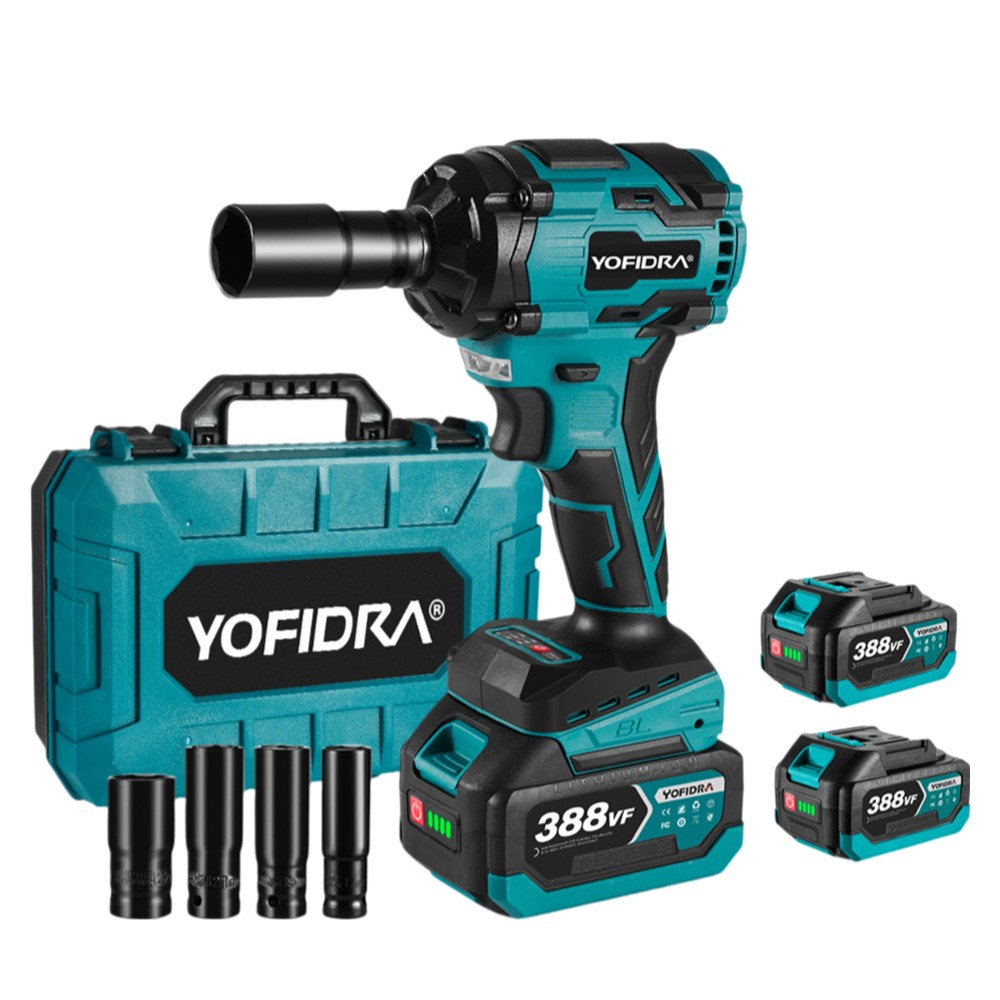
For everyday tasks like changing car wheel lug nuts or servicing suspension brackets, the NewBeny 1/2" 520 N·m brushless cordless impact wrench equipped with NewBeny batteries and compatible with Makita 18V batteries offers ample, reliable power. This dual-battery compatibility provides flexibility and convenience, allowing users to integrate it seamlessly into their existing Makita tool system while also benefiting from the dedicated NewBeny power source. This makes it a versatile and cost-effective choice for both NewBeny and Makita battery users.
What to Look for When Buying a Cordless Impact Wrench
Demand at least three speed settings so you can adapt to both small and large hardware efficiently. When evaluating a lineup of impact wrenches, consider how balanced the tool feels in your hand, as personal comfort and ergonomics can vary between users.
Auto-stop technology is highly desirable for anyone doing automotive work. Finally, ensure the tool feels balanced in your hand, as a heavy nose will cause severe wrist fatigue during long projects.
1/2 vs 3/8 vs 1/4 Impact Wrench: Which Drive Size Do You Need?
The square drive size primarily determines the socket sizes you can use. A 1/4" drive is best suited for small dashboard screws and light furniture assembly, where limited torque is needed. A 3/8" drive offers an excellent all-around choice for engine bays and automotive maintenance, as its smaller sockets can fit into tight spaces while the anvil still provides sufficient force for most tasks. For heavy-duty suspension work, large axle nuts, or tight wheel lugs, a 1/2" drive—such as the NewBeny 1/2" 1000 N·m brushless cordless impact wrench—is often required, since its larger, more robust anvil can transfer high energy levels reliably without snapping under load.
What is the Best Compact & Stubby Cordless Impact Wrench for Tight Spaces?
Compact and stubby impact wrenches are used for hard-to-reach fasteners, like brake caliper bracket bolts and exhaust manifold flanges. The best compact or stubby designs feature a 3/8-inch anvil and a brushless motor in a housing under 5 inches long. Look for a tool that delivers about 250 foot-pounds of breakaway torque while staying lightweight and easy to move in tight engine bays without catching on hoses or wires.